Analyse the profile
Introduction
Before you actually pay someone, it's worth a closer look. A profile can seem popular and still be a poor bet if the followers are fake or in the wrong country. Do it in two passes, light then deep.
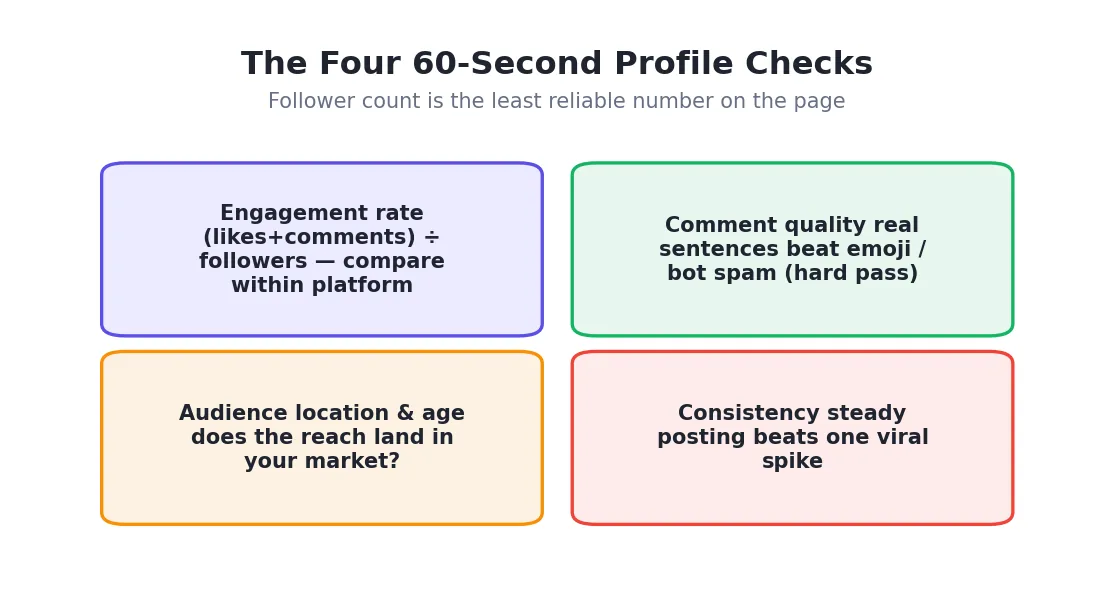
Quick check, as you browse
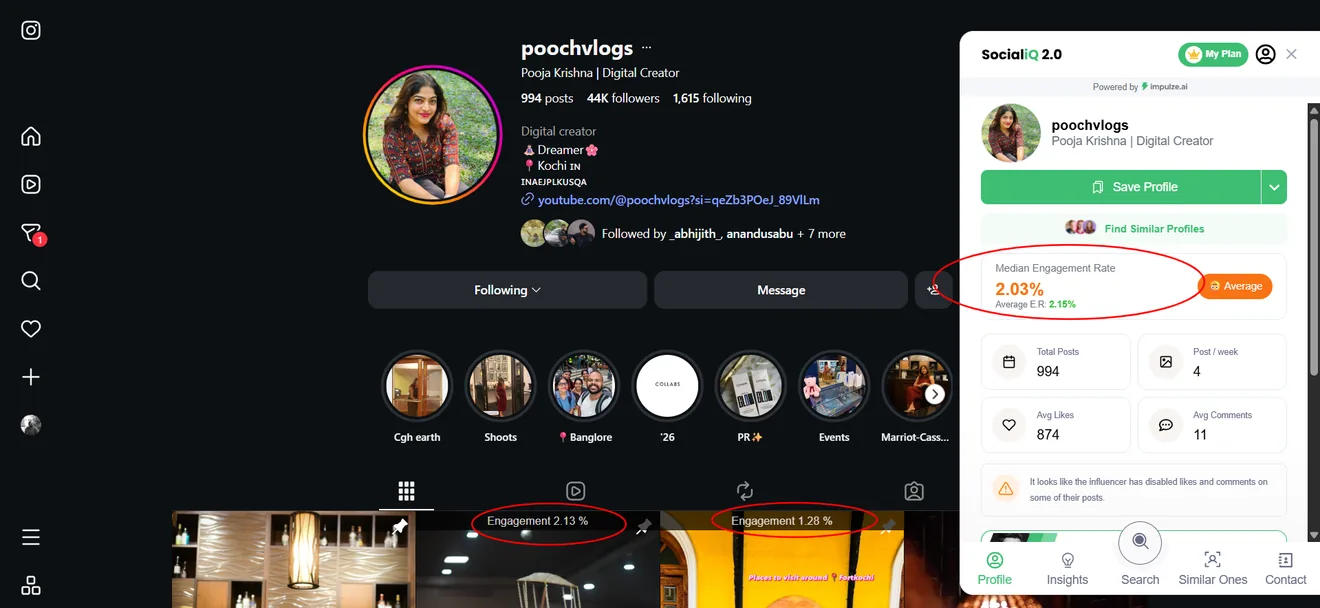
The SocialiQ extension shows the profile's engagement rate, the engagement on each post, and a quick snapshot of the account, right on the profile. Use it to drop the obvious weak accounts in seconds, without leaving the page. This is the same check you were doing during manual search, now applied to your shortlist.
Deep check, before you pay
For the few creators you're serious about, open the full report. It puts everything on one screen:
- Real vs fake followers, so you know how much of the reach is genuine.
- Engagement, as an average and a median. A big gap between the two often means one viral post rather than steady results.
- Follower growth. Smooth lines are healthy; sudden jumps can mean bought followers.
- Audience details: location, age, and gender.
- Top content and past brand deals, so you can see what they make and who they've worked with.
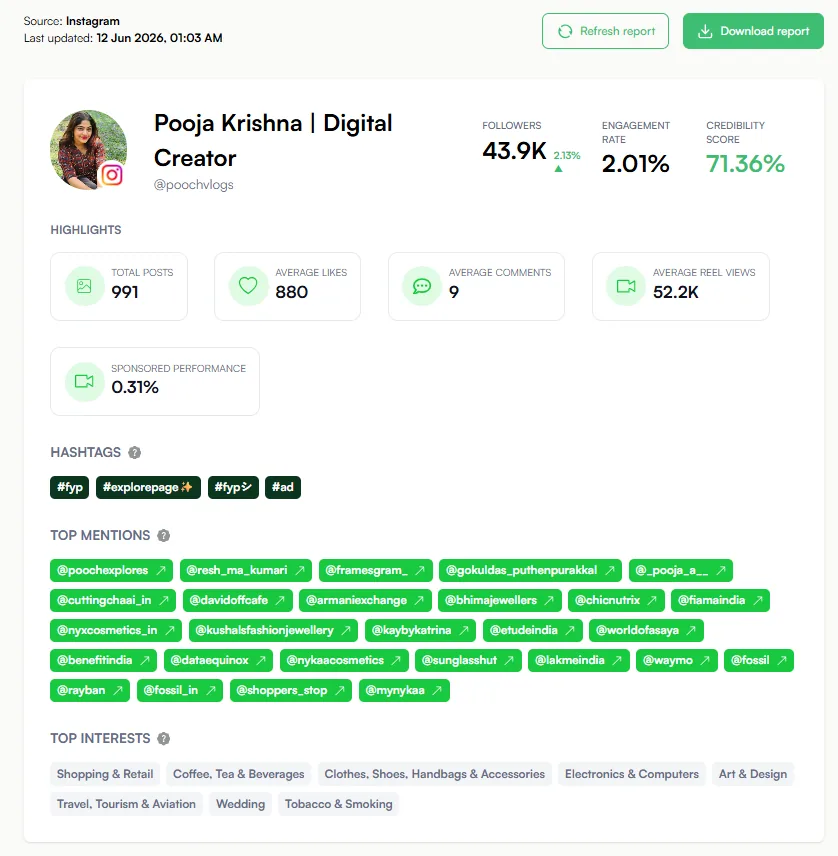
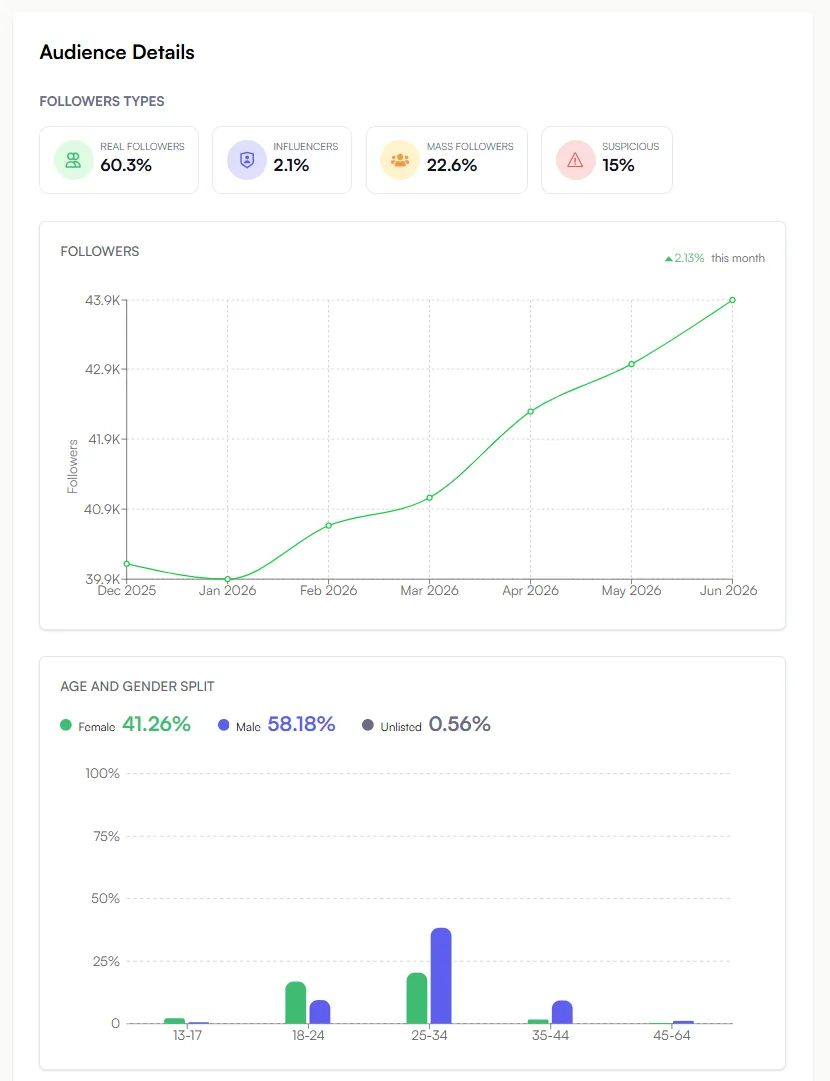
If the numbers are real and the audience matches your customer, keep them. If not, move on. You can export the report or share a link so a teammate can sign off quickly.
Key takeaways
- Check every shortlisted profile before you pay — popularity isn't proof.
- Use SocialiQ for a quick read, then open the full report for the serious few.
- Look for genuine followers, steady engagement, smooth growth, and an audience that matches your customer.
Next: Save and export your list →